Creating Global Spaces
Once you enable the view of Global Spaces (See: Viewing Global Spaces) you will be able to create a new Global Space during the process of creating a new workspace.
- In the tool bar, click on "Create Space".

The "Create New Workspace" wizard opens.
- After entering the Name and Description of your workspace you have two options to select from for the Global Space: "Create New" or "Select existing".
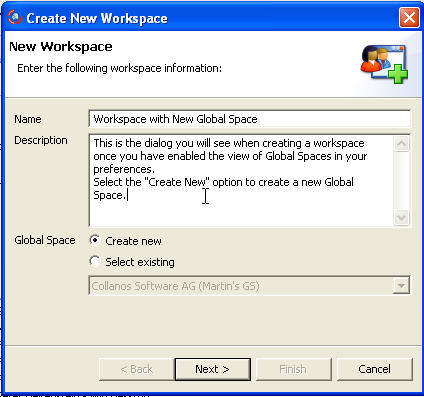
- You can select an existing Global Space from the drop down menu or create a new one.
If you select to create a new Global Space, a new dialog opens.
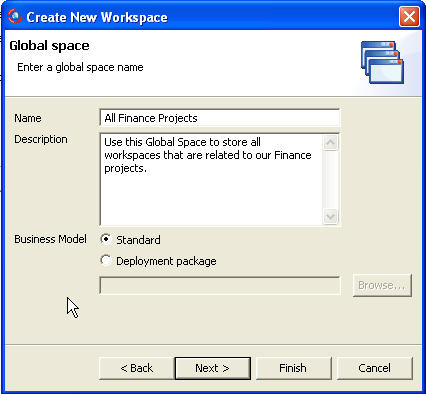
Once you enter the Name and Description, you have the option to select a Business Model.
The "Business Model Designer" (a development tool) is not available currently but in the future will allow users to deploy customized business models with new business objects.
For now, select the default option, "Standard".From this point, the standard "Create Workspace" continues.
Once you complete the wizard, your Global Space will be visible in the 'All My Workspaces" view.
Related Tasks: