Viewing Relationships
By default Relationships are hidden from users.
To enable the view of Relationships:
- Click on "Tools" from the Workspace Menu and select "Preferences".

The "Preferences" Dialog opens.
- Click on the check box: "Show Relationship pane when starting application".
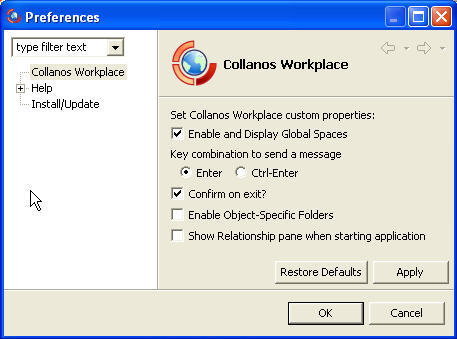
Once the check box is filled, you will be able to view the Relationship frame under the objects.
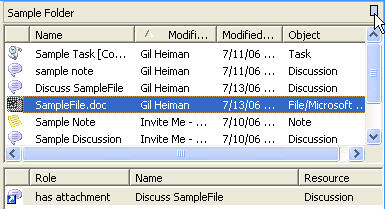
If the frame is not visible, click on the small button on the top right corner of the object frame to open it (See the cursor in the above screenshot).
Note:
Relationships are restricted to within a workspace and cannot be created with objects outside the current workspace.
Related Tasks: