Renaming Global Spaces
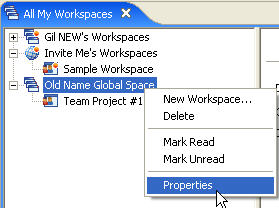
To rename a Global Space you need to be in the "All My Workspaces" view.
- Highlight the Global Space you want to rename and then right click and select "Properties" from the menu.
The "Global Space Properties" dialog opens.
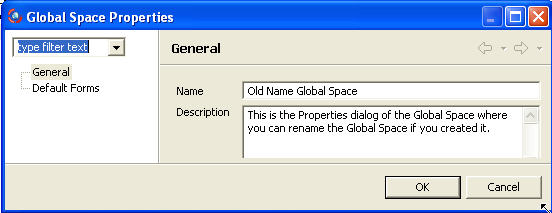
- Enter the new name and click the"OK" button.
The new name is applied to the Global Space.
Notes:
- You cannot Rename the Default Global Space of other users.
You can only rename your default Global Space and all other non-default Global Spaces. - Renaming the Global Space will also take place on all team members' computers once they synchronize with your computer.
- Only Managers can rename a Global Space.
Related Tasks: