Create Workspace
To create a workspace you first need to enter some general information about your workspace.
- Action: In the tool bar, click on "Create Space".

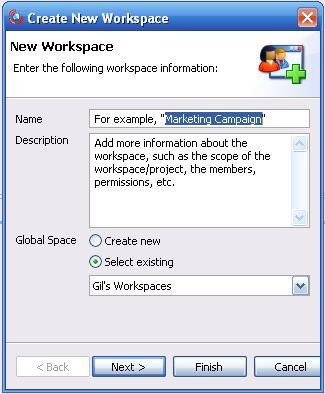
Result: The "Create New Workspace" wizard opens.
- Action: Enter the Name and Description of your workspace and then click on the "Next" button.
Result: The next step of the wizard opens.
Step 2: Adding Folders to Your Workspace
Related Tasks: