In the Media
 March 10
Company News

User Quotes
My sense is that you guys and gals know what you're doing; you've put together an attractive tool - for free. I think it has the potential to reach a large audience. I want to help.
— Christian Aglen, MUM Uni., IO 
Managing Your Account
When you start the Phone application, you will be prompted to login. If you have already one, you can use your existing Collanos Name and password, even if it was originally created with Collanos Workplace.
In fact, Collanos Phone and Collanos Workplace are two applications sharing the same user profile. No matter which application you are using - Phone or Workplace - you will always use your unique Collanos Name. Your user profile is stored securely on the Central User Directory.

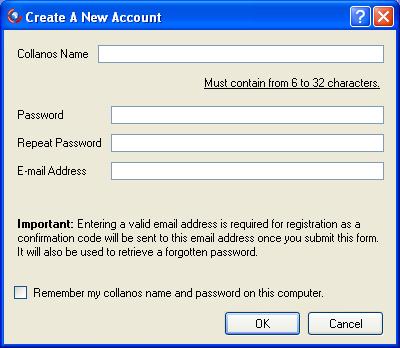
If you don't have a Collanos Name yet, press the button on the login dialog to create a new one. The following dialog will prompt you to select a free Collanos Name and a password. Make sure to provide a valid email address. A security confirmation code will be sent to your email address.
Once your Phone is up and running, you can always go to your own user profile and edit the fields. The data stored in the first to tabs (Public Details, Private Details) is stored on the Central User Directoy and shared with other Collanos applications, such as Collanos Workplace. The third tab (Network IDs) contains login credentials for other Instant Messaging services and this data is stored locally.
